Skip to content

For developers

Idle Game Save Systems: 12 Real Implementations, From localStorage to Steam Cloud

Idle game save system patterns from Cookie Clicker, Antimatter Dimensions, Trimps and more: storage, export strings, backups, cloud saves and migrations.

An idle game save system needs five things: a serialised state with a version number, an autosave to local storage, an export string players can copy, a timestamp for offline progress, and a way to load old saves after you change the game. Players of idle games keep one save for months or years, so losing it is the fastest way to lose them.

The 12 entries below show how real games do each part, with links to the actual save code where it is public. Browser games dominate because their code is easy to read, but the same patterns apply in Godot, Unity or a Steam build.

02

The Modding Tree: best for a minimal save that survives new features

Platform: JavaScript framework. Free and open source

The Modding Tree, the framework behind The Prestige Tree, saves in a dozen lines of save.js: the player object goes through JSON.stringify and btoa into localStorage, keyed by the mod's id, with options saved under a separate key.

Loading uses Object.assign(getStartPlayer(), savedData) and then fixSave, so any field the save lacks takes its default. Add a new upgrade in an update and old saves simply start with it at zero. On import, a mismatched mod id triggers 'This save appears to be for a different mod! Are you sure you want to import?'

Copy the defaults-first merge. It removes most of the migration work for additive changes.

Watch out for: Defaults only handle added fields. Renaming or changing the meaning of a field still needs an explicit migration, or old saves load with the wrong values.

03

Antimatter Dimensions: best for compact, versioned, self-identifying save strings

Platform: Browser, Steam, Mobile · free

Antimatter Dimensions runs saves through a pipeline in serializer.js: JSON, then UTF-8 bytes, then pako deflate compression, then base64. The result is wrapped as 'AntimatterDimensionsSavefileFormat', a three-letter version ('AAB' at the time of writing), the data and 'EndOfSavefile'.

The prefix means a pasted string is recognisably an AD save, and the version lets the decoder pick the right steps for older formats. The code even suggests modders change the prefix so their saves are not confused with the base game's. The game keeps three save slots and a migrations file for older saves.

Copy the framing. A magic prefix and version cost a few bytes and make support requests far easier.

Watch out for: Compression makes saves unreadable to players and to you. Keep a debug path that writes plain JSON, as Cookie Clicker does with its commented mode.

04

Rolling automatic backups: best for undoing a bad import or a broken update

Platform: Any engine. Implemented in Antimatter Dimensions' storage.js

Beyond its three slots, Antimatter Dimensions keeps automatic backups at several ages, defined in storage.js: online backups every 1, 5 and 20 minutes and every hour, offline backups for absences of 10 minutes, 1 hour and 5 hours, and a reserve slot.

Different ages cover different disasters. A one-minute backup undoes a misclick; a five-hour offline backup undoes a bad offline calculation after an update; the reserve covers a save import that went wrong.

Copy at least two: a recent one and an old one. In localStorage that is just extra keys.

Watch out for: Backups multiply storage use. Browser localStorage is typically limited to a few megabytes per site, so compress saves before keeping several copies.

05

Cloud saves that ask before overwriting: best for players who switch between devices

Platform: Antimatter Dimensions cloud-saving.js (Firebase and Steam builds)

Antimatter Dimensions' cloud saving, in cloud-saving.js, uses Firebase on the web and ties into its Steam build. Before saving or loading it compares the two saves on two axes: which is older, and which is farther along, using a separate progress checker.

If cloud saving would overwrite a cloud save that is older-but-farther, or loading would overwrite a local save that is farther along, it shows a conflict modal instead of guessing. Time alone is a bad judge: a phone left open overnight can have the newest timestamp and the least progress.

Copy the two-axis comparison. Write a function that says which save has more progress, and show both when the answers disagree.

Watch out for: Cloud saves need accounts, a backend and privacy terms. Start with export strings and local backups; add cloud saves when players ask for multi-device play.

06

Trimps: best for forgiving imports from copy-paste

Platform: Browser · free

Trimps exports with LZString.compressToBase64(JSON.stringify(saveGame)) in its main.js. On import, it strips every line break and space from the pasted text before decompressing.

That one regex fixes the most common import failure: a save string pasted from Discord, an email or a notes app with line breaks inserted. Players never see an error for something that was not their fault.

Copy the cleanup step. Trim whitespace, remove line breaks and, if you use an end marker, check for it before decoding.

Watch out for: LZString output is compact but fragile. Keep the exact library version your saves were written with, as Trimps' own code comments advise for its perk export.

07

Kittens Game: best for different encodings for storage and export

Platform: Browser, Mobile · free

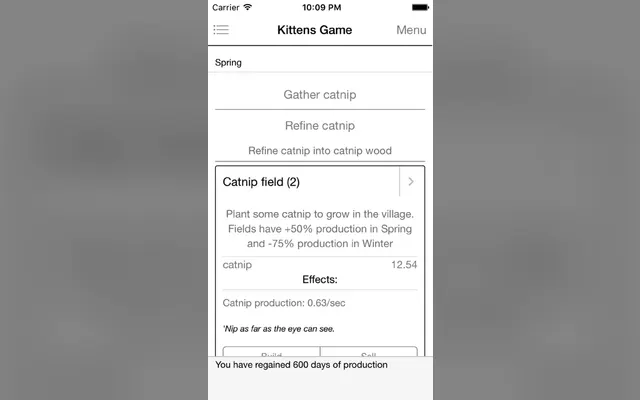
Kittens Game's game.js uses LZString in two ways: compressToUTF16 for localStorage and compressToBase64 for exports. UTF-16 packs more data into each stored character, which matters against browser storage limits; base64 survives copy and paste.

It also has KGNet cloud saves, identified by a GUID and refreshed from its server, so players can move a save between browsers without pasting.

Copy the split if your save is large: one encoding optimised for storage, one for humans.

Watch out for: Two encodings mean two decode paths to test. Add an automated round-trip test for each before every release.

08

galaxy.click cloud saves: best for browser games that want cloud saves without a backend

Platform: Free for games hosted on galaxy.click. postMessage iframe API

galaxy.click gives hosted games cloud saving through an iframe API, documented on its saving page. 'Each player has 11 save slots per game,' slot 0 by convention for autosave, each holding up to 256,000 bytes. Games call window.top.postMessage with save, load, delete or save_list and receive saved, save_content, deleted or save_list back.

Saves must be strings, so the export string you already have is the payload. Errors such as too_big and no_account come back as messages, so handle them with a quiet fallback to localStorage.

Pick it if your game lives on galaxy.click anyway. Our where to post guide covers listing there.

Watch out for: It only works when the game runs inside galaxy.click. Keep localStorage as the primary save so the same build works on itch.io or your own site.

09

Steam Cloud: best for desktop builds on Steam

Platform: Steamworks. Auto-Cloud (no code) or the ISteamRemoteStorage API

Steam offers two routes, per the Steamworks documentation. Steam Auto-Cloud 'only requires that you specify the file groups which you want persisting to the Cloud' and syncs before and after every session. The Cloud API gives finer control over which files sync.

For most idle games Auto-Cloud on your save folder is enough. The docs advise keeping files small and splitting data by how often it changes, so settings and saves belong in separate files.

Keep the default cross-platform rule, which the docs strongly recommend, so a save made on Windows loads on a Steam Deck or Mac.

Watch out for: Steam syncs at session start and end, so a game left running for days does not upload in between. Keep local backups; Steam Cloud is a sync, not a history.

10

Godot save files: best for Godot developers choosing a save format

Platform: Godot 4. FileAccess, JSON or store_var. Free and open source

Godot's saving games tutorial writes to user://, collects state from every node in a 'Persist' group via a save() method, and compares formats. JSON 'generates human-readable files that are easy to debug,' but 'only offers a limited set of data types,' so a Vector2 must be converted by hand. Binary store_var 'should produce smaller files than JSON.'

For an idle game, JSON's readability usually wins: you will debug saves from players, and plain text makes that possible. Convert big numbers to strings or mantissa and exponent pairs yourself.

Our engine comparison covers Godot against Unity and plain JavaScript.

Watch out for: The tutorial's example calls load() on a scene path read from the save file. Never load arbitrary resources from player-editable saves; store ids and map them to known scenes.

11 · Ours

Mushies!: best for crash-safe saves in a Godot clicker

Platform: Browser, Steam

Mushies! is the cozy mushroom-village clicker made by this site's maintainer, built in Godot, so this is a case study from code we know well. Saves are JSON in user://, one file per slot across three slots so several people can share a computer, with settings in a separate file.

Writes are atomic: the save goes to a .tmp file, the previous good file is rotated to .bak, then the .tmp is renamed into place, so a crash mid-write cannot destroy the last good save. Loading falls back to .bak if the main file is missing or corrupt, saves run on a background thread, a checkpoint is taken before each prestige, and versioned migrations upgrade old saves step by step (1.0 to 2.0 to 3.0).

Export and import exist too, with a validation step that checks the pasted JSON has a version and the expected sections before touching the live game.

Watch out for: Mushies is still in development, so details may change before release. Background saving needs care: capture the destination path at save time so a slot switch mid-save cannot write to the wrong file.

12

The offline timestamp: best for offline progress that cannot be cheated cheaply

Platform: Any engine. Stored inside the save

Every save above carries a time. Cookie Clicker stores 'date when we last opened the game' in its run details; Antimatter Dimensions uses time away to decide which offline backup to take. On load, now minus that timestamp is the offline time your game simulates or calculates.

Store it in milliseconds since the epoch, write it on every save, and treat negative or absurd values as zero. A player who sets their clock forward is playing a single-player game, but a corrupted timestamp should never grant a year of progress by accident.

Our offline progress guide covers what to do with the number once you have it.

Watch out for: Save the timestamp only when the save itself succeeds, or a failed write followed by a reload can count the same offline time twice.

How to choose your save system

Build it in this order, and stop when your players stop asking for more.

01

Match it to your platform

Browser games start with localStorage and an export string, like Cookie Clicker and The Modding Tree. Godot and other desktop engines write a file to the user data folder, ideally atomically like Mushies. Steam builds add Auto-Cloud on that folder. Games hosted on galaxy.click can add its cloud slots for free.

02

Match it to how long players keep a save

If your game lasts an afternoon, autosave and export are enough. If players keep a save for months, add versioning from the first release, a defaults-first loader so new fields do not break old saves, and rolling backups like Antimatter Dimensions. Migrations are cheap to add early and painful to retrofit.

03

Match it to what goes wrong

Copy-paste errors: strip whitespace like Trimps and add an end marker like Cookie Clicker. Crashes mid-write: write to a temporary file and rename. Device switching: compare progress, not just time, before overwriting, as Antimatter Dimensions does. Storage limits: compress with LZString or deflate, as Kittens Game and AD do.

Add an export button before your next build

If your game saves nothing today, add three things this week: an autosave every 30 to 60 seconds, a version field, and an Export button that shows the save string in a text box. Then write one test that saves, exports, imports and compares. That covers most of what players will ever need.

Once saves are solid, list your game on IncrementalGames.org for free so long-haul players can find it. For a launch push, the optional Get featured placement adds a labelled Featured card on the home page, game pages and best-of lists.

List your game free →

Common questions

How do idle games save progress?

Most serialise the game state to JSON, optionally compress it, and write it to local storage or a file on a timer. Cookie Clicker autosaves to localStorage about every minute; Mushies writes JSON files in Godot's user folder. A timestamp in the save drives offline progress.

What is a save export string?

The save data encoded as text, usually base64, so a player can copy it somewhere safe and paste it back later or on another device. Cookie Clicker's ends in '!END!'; Antimatter Dimensions' starts with 'AntimatterDimensionsSavefileFormat' and a version.

Should I encrypt my idle game's save file?

Usually no. Base64 or compression already stops casual editing, and single-player saves are the player's own data. Readable or easily decodable saves also make it far easier to help players who report bugs.

How do I keep old saves working after an update?

Store a version number in every save, load saves on top of default values so new fields get sensible starting values, and write a migration function per version for renamed or restructured data. The Modding Tree merges onto defaults; Mushies migrates 1.0 to 2.0 to 3.0 step by step.

Can browser idle games have cloud saves?

Yes. You can build your own backend, as Antimatter Dimensions does with Firebase, or use a host's API. galaxy.click gives hosted games 11 cloud save slots per player, each up to 256,000 bytes.

Sources