
Skip to content

The guide

12 Idle Games for Chromebook: Browser Picks and Android Apps That Run Well

Idle games for Chromebook: 12 picks that run in Chrome or as Android apps, with what each costs, where saves live, and what changed now Steam is gone.

The best idle games for a Chromebook are browser games, because they run on every model, including school laptops and ChromeOS Flex machines. Melvor Idle, Antimatter Dimensions, Kittens Game and Cookie Clicker all have free web versions, and several also have Android apps you can install from Google Play on Chromebooks that support it.

One thing changed recently: Google ended the Steam for Chromebook Beta on January 1, 2026, and games installed through it stopped working. So the realistic options are the browser and Android. We picked nine browser games and three Android-only ones from our catalog, and checked each store listing in November 2026. Ads, in-app purchases and prices are as the store showed them then, and they can change.

01

Melvor Idle: best for one save across the browser and Android

Platform: Browser, Steam, Mobile · paid

Melvor Idle turns RuneScape's skilling loop into menus: train skills, fight monsters, run dungeons and fill your completion log. It runs in the browser and as an Android app, and a free Melvor Cloud account carries the same save between them.

The demo is free and has 11 skills, according to the official wiki. The full version is a one-time unlock with 24 skills, and the wiki says buying it on mobile also unlocks the browser version, so a Google Play purchase on your Chromebook covers both. Our catalog rates it about 85% idle.

Pick it as the deepest long-term idler for a Chromebook.

Watch out for: The wiki is clear that a mobile purchase does not give you a Steam key. Three paid expansions are sold separately on top of the full version.
02

Antimatter Dimensions: best for the deepest free browser game with an ending

Platform: Browser, Steam, Mobile · free

Antimatter Dimensions starts with buying dimensions that produce dimensions, then asks you to break infinity, then eternity, then reality. It is the reference game for big-number incrementals, it has a real ending, and our catalog puts the full run at 200 to 600 hours.

The web version is free and runs in any Chrome tab. There is also an Android app, which Google Play lists as containing ads and in-app purchases.

Pick it if you want hundreds of hours from a single free browser tab.

Watch out for: Prefer the web version on a Chromebook if you want no ads. Export your save from the options menu now and then, especially on a shared or school device.

03

Kittens Game: best for a slow, text-based game with no ads anywhere

Platform: Browser, Mobile · free

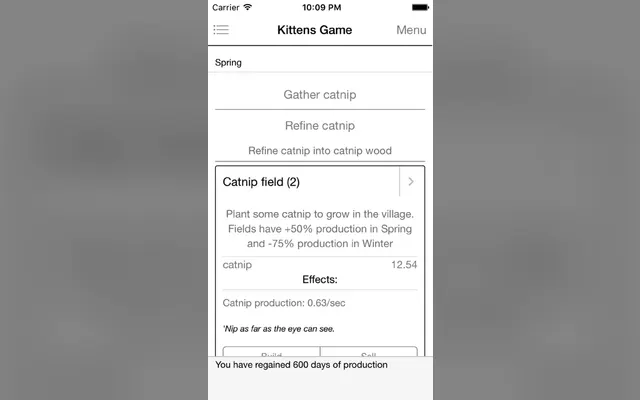
Kittens Game is a civilization builder told in tables of resources. You start with catnip and end with space elevators, juggling seasons, trade and science along the way.

The web version is free and open source. The Android app is a paid download ($2.99 on Google Play in November 2026), and its listing shows no ads and no in-app purchases.

Pick it if you want months of slow, thoughtful play with no monetization at all.

Watch out for: Its pace is slow by design, and storage caps fill if you leave it for long. It suits someone who checks in a few times a day, not someone looking for fast feedback.

05

Fundamental: best for a background tab while you do schoolwork

Platform: Browser · free

Fundamental by awWhy is an idle game about exploring the universe, from particles upward. Its galaxy.click page says it is meant to be played while doing something else and is balanced around something to do every 5 to 20 minutes.

It is one of the most-played games on galaxy.click, with over 1.3 million recorded play hours and 4.5 stars from 919 ratings. It is tagged long-term, meaning over a month to finish.

Pick it if you want a game that respects that you are busy.

Watch out for: The March 2026 update notes warn that the first load converted some progress and reset parts of the game. Read the changelog on its page before loading an old save.

06

Calculator Evolution: best for a few days of clever, free progression

Platform: Browser · free

Calculator Evolution has you upgrade a pocket calculator through a lot of upgrades and four prestige layers, with a programming flavour to the systems. On galaxy.click it holds 4.5 stars from 922 ratings and has been played over 138,000 times.

It is tagged as taking a day to a week to beat, which makes it a good middle-length game: longer than a story incremental, shorter than a forever game.

Pick it if you have finished Cookie Clicker's early game and want something smarter.

Watch out for: It is tagged active, so it moves faster when you are watching. Progress while the tab is closed is limited compared with a fully idle game.

07

DodecaDragons: best for big numbers with a finished ending

Platform: Browser · free

DodecaDragons grows a dragon and an empire through twelve colours of magic and very large numbers. It is one of the most-favourited games on galaxy.click, with 4.6 stars from 1,150 ratings.

Version 1.0.0 in July 2023 was described as the end of the game, so this is complete. The page tags it at a day to a week, and one commenter reports finishing in 57 hours.

Pick it when you want a finished free game with a satisfying finish line.

Watch out for: Commenters mention a time wall late in the game and repetitive content after the sigil stage, so the last stretch is slower than the first.

08

Evolve: best for long sessions on a Chromebook with a big screen

Platform: Browser, Mobile · free

Evolve takes a species from primordial ooze to a space-faring empire, then lets you end it in several ways and start again with a new species. Its README calls it a mix of clicker and idler with lots of micromanagement.

It is free, open source and runs from GitHub Pages in Chrome. The interface is dense, so a larger Chromebook screen or an external monitor helps.

Pick it if you have played Kittens Game and want more variety between runs.

Watch out for: The early game asks for constant job management. On a small 11-inch screen, zoom the browser out a step to see the panels.

09

Swarm Simulator: best for pure exponential growth in a Chrome tab

Platform: Browser, Mobile · free

Swarm Simulator grows an alien hive: larvae become drones, drones become queens, queens become nests, and then the units start producing other units. It is a clean example of stacked exponential growth.

The site says it does not support Safari and suggests Chrome or Firefox, which suits a Chromebook. It shows what you earned while away when you come back.

Pick it if you want simple rules and very large numbers.

Watch out for: Saves live in browser storage. The site offers your save text to copy if saving fails, so copy it into a note now and then.

10

Exponential Idle: best for maths fans on an Android-capable Chromebook

Platform: Mobile · free-to-play

Conic Games' Exponential Idle is a maths idler where the upgrades are terms in an equation. After graduating you unlock custom theories that change the rules entirely. It is mobile-only, which on a Chromebook means installing the Android app from Google Play.

It has over a million downloads on Google Play, and 4.89 stars from 4,145 ratings on the US App Store in November 2026. Our catalog rates it about 75% idle.

Pick it if your Chromebook runs Android apps and you liked Antimatter Dimensions.

Watch out for: Google Play lists ads and in-app purchases. School-managed Chromebooks often block the Play Store entirely.

11

Egg, Inc.: best for co-op contracts with other players

Platform: Mobile · free-to-play

Auxbrain's Egg, Inc. has you build a chicken farm, research better eggs and eventually launch them into space. Co-op contracts let you team up with strangers on shared goals, which most idle games do not offer.

Google Play shows over 10 million downloads, and it holds 4.8 stars from more than 560,000 ratings on the US App Store as of November 2026.

Pick it if you want a polished mobile idler that plays fine in a Chromebook window.

Watch out for: Google Play lists ads and in-app purchases. The game is built for a touch screen in portrait, so on a non-touch Chromebook it can feel awkward with a trackpad.

12

Cell to Singularity: best for learning science while numbers grow

Platform: Steam, Mobile · free-to-play

Computer Lunch's Cell to Singularity walks you through the history of life, from single cells to technology, unlocking real species and inventions on an evolution tree. It is free on Google Play, where it shows over 10 million downloads.

It is one of the few idle games with a real educational angle, which makes it a good pick for a school Chromebook if the Play Store is allowed.

Pick it for a younger player or anyone who likes facts with their idle game.

Watch out for: Google Play lists ads and in-app purchases. It is far more graphical than the browser picks here, so try it on a budget Chromebook before you sink time into it.

How to choose an idle game for your Chromebook

What you can run depends on the Chromebook, the account and who manages it.

01

Find out whether you have Android apps

Google's help page says the Play Store is only available on some Chromebooks: look in Settings, Apps, for Manage Google Play preferences, and if the option is missing your Chromebook does not run Android apps. School and work accounts may also block it. ChromeOS Flex machines should plan on the browser, since Google's Flex documentation only mentions Android support for some VPN apps. If you have no Play Store, stick to the browser games here and our browser incremental games list.

02

Protect your saves

Browser games save to local storage on that one Chromebook profile. Guest mode deletes everything when you sign out, and clearing browsing data deletes saves too. Use each game's export option and paste the save text into a note. Melvor Idle is the exception: its free cloud account keeps your save online.

03

Match it to how you use the laptop

For a background tab during class or homework, pick something built for check-ins like Fundamental or Kittens Game. For a few evenings, DodecaDragons or Calculator Evolution. Our idle games for studying guide goes deeper on that.

Open a tab and start one now

Every browser pick here is one link away and needs nothing installed. Start Cookie Clicker or Antimatter Dimensions in a tab, export the save once it matters, and you are set.

If your Chromebook runs Android apps, add Melvor Idle from Google Play, and the same save will follow you into the browser.

Play incremental games online →

Common questions

Can you play idle games on a Chromebook?

Yes. Any browser idle game runs in Chrome on every Chromebook. Chromebooks that support Google Play can also install Android idle games such as Melvor Idle, Exponential Idle and Egg, Inc.

Can I still use Steam on a Chromebook?

Not through Google's official route. The Steam for Chromebook Beta ended on January 1, 2026, and games installed through it are no longer playable. Browser and Android versions are the practical alternatives.

Do browser idle games save on a Chromebook?

They save to the browser on that profile, so progress survives restarts but not Guest mode or clearing site data. Export your save regularly from the game's options.

What idle games work on a school Chromebook?

Browser games are the safest bet, since school accounts often block the Play Store. Your school may also block specific game sites, so check its rules before you play.

Is Melvor Idle free on Chromebook?

The demo is free in the browser and on Android. The full version is a one-time purchase, and the official wiki says buying it on mobile unlocks the browser version too.

Sources